


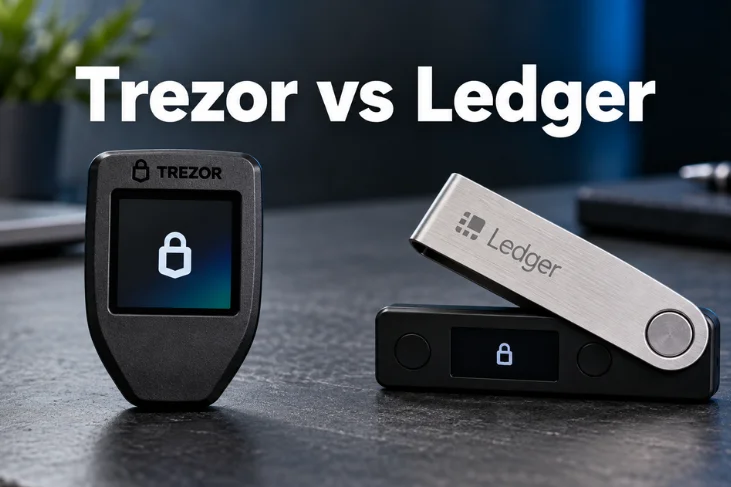
Choosing a hardware wallet usually comes down to security, transparency, asset support, and everyday convenience. This Trezor vs Ledger comparison examines those differences for US crypto users in 2026. Both brands protect private keys offline, but they take different approaches.
Direct answer: Trezor is the stronger choice for users who prioritize open-source transparency and straightforward cold storage. Ledger suits people wanting wider asset support, stronger mobile connectivity, and more integrated crypto features. Neither option wins for every user, so your holdings, recovery preferences, and device habits should guide the decision.
Trezor and Ledger at a Glance
| Factor | Trezor | Ledger |
|---|---|---|
| Best fit | Transparent cold storage | Broader crypto activity |
| Entry model | Safe 3 | Nano S Plus |
| Typical US entry price | About $79 | About $79 |
| Open-source approach | Firmware is open source. | Secure-element firmware is proprietary. |
| Secure element | Yes, on current Safe models | Yes, across the current lineup |
| Touchscreen choices | Safe 5, Safe 7 | Nano Gen5, Flex, Stax |
| Wireless choices | Safe 7 | Nano X, Nano Gen 5, Flex, Stax |
| Companion software | Trezor Suite | Ledger Wallet |
| Asset support | Thousands of assets | More than 15,000 listed assets |
| Recovery approach | Offline backups and multi-share options | Offline backup plus optional recovery services |
| Better for | Transparency-focused holders | Active multichain users |
Current US comparison data lists the Safe 3 and Nano S Plus at $79. Higher models range from $169 to $249. The competing range reaches $149, $179, $249, and $399 depending on the device. Prices can change through discounts or bundles.
Key Takeaways
- Choose the Safe range if open firmware and auditability matter most.
- Choose the Nano or touchscreen range for broader mobile and asset support.
- Both current product families use secure-element technology.
- Entry-level devices begin around $79 based on recently verified US pricing.
- Larger screens are useful if you frequently review complex transactions.
- Your recovery setup matters as much as the device itself.
- Buy from the manufacturer or an authorized seller whenever possible.
Trezor vs Ledger Security: Which Approach Is Better?
The biggest difference is not whether either brand takes security seriously. Their designs place trust in different areas. One emphasizes public inspection, while the other emphasizes hardware isolation. Current Safe models combine open-source firmware with secure-element hardware. Independent researchers can inspect much of the device’s running software. That approach appeals to buyers who want technical transparency around their cold-storage setup.
The competing devices rely heavily on certified secure elements and application isolation. The company also places transaction handling within its protected hardware architecture. Its own comparison describes secure-screen verification as a major security advantage.
Neither philosophy eliminates user mistakes. Phishing, exposed recovery words, fake applications, and careless transaction approvals still create serious risks. CoinsWey’s seed phrase security guide explains why the recovery backup needs equally strong protection.
Open Source Versus Hardware Isolation
Open-source software lets researchers examine code and identify potential problems. That visibility can reduce dependence on claims made only by a manufacturer. It also gives technically minded owners more insight into their security model. Proprietary components take a different route. They can provide a controlled environment around sensitive cryptographic operations.
Buyers must accept greater dependence on the vendor and third-party certification. This distinction explains much of the Trezor vs Ledger debate. Neither approach automatically makes every competing device unsafe. The better choice depends on whether transparency or hardware isolation earns more of your trust.
Current Hardware Wallet Models and US Prices
Recent US pricing shows several options at different budgets. The Safe 3 costs about $79, while the Safe 5 lists around $169. The wireless Safe 7 sits around $249. The Nano S Plus also lists around $79. Nano X and Nano Gen5 pricing sits around $149 and $179. Flex costs about $249, while Stax reaches roughly $399.
Those prices make the budget category unusually competitive. Paying more mainly buys larger screens, wireless connections, batteries, or richer signing experiences. Long-term holders may gain little from premium features they rarely use.
Best Budget Options
Safe 3 pros
- Open-source firmware
- Secure element
- Bitcoin-only firmware option
- $79 recent US list price
3 safe cons
- Small screen
- No Bluetooth
- Less convenient for frequent mobile activity
Nano S Plus pros
- $79 recent US list price
- Broad cryptocurrency support
- Mature companion application
- Secure-element architecture
Nano S Plus cons
- USB-only connection
- Small screen
- Less convenient for iPhone-centered use
For simple cold storage, both budget products provide the essential hardware-wallet function. The private keys remain separated from an ordinary computer. Spending more makes greater sense when screen quality or wireless access matters.
Which Brand Supports More Coins?
Asset support can change the buying decision before any other comparison matters. The Ledger ecosystem currently advertises support for more than 15,000 crypto assets. Its application also targets staking, NFTs, portfolio management, and decentralized applications.
The Safe family also supports thousands of assets across major networks. Its strongest appeal is less about winning a raw coin-count contest. Bitcoin-focused users can also choose Bitcoin-only firmware on current Safe devices. Check every important asset before buying either device. Support for a blockchain does not guarantee identical support for every token or application.
CoinsWey’s Maneki wallet guide shows how hardware support can also depend on another wallet interface.
Mobile Use, Bluetooth, and Daily Convenience
Frequent mobile users should pay close attention to connectivity. Nano X, Nano Gen 5, Flex, and Stax provide Bluetooth support. Several newer touchscreen products also add NFC for compatible features. The Safe lineup takes a more limited approach to wireless connections. Safe 3 and Safe 5 use USB-C. Safe 7 adds Bluetooth and wireless charging for buyers wanting more mobile flexibility.
That difference matters most when you transact often. A long-term holder may prefer fewer wireless features and simpler storage. An active user may value quick phone access enough to choose a wireless model.
Recovery and Backup Options
Every hardware wallet needs a recovery plan before significant funds arrive. Losing the physical device does not destroy blockchain assets. Losing both the device and its recovery information can make access impossible. The Safe range supports traditional offline recovery methods and newer multi-share backup approaches.
Users can split recovery information rather than relying on one physical copy. This can help advanced users manage theft, fire, or geographic risks. Ledger offers the traditional recovery phrase plus additional choices. Its optional Recover service encrypts and divides backup information into three protected fragments. US users can qualify using supported identification, and the service is optional.
Ledger Recover currently carries an ongoing subscription after its introductory period. Some buyers appreciate an identity-based recovery route. Others prefer a recovery system that never relies on an online identity service.
Privacy and Trust Considerations
Privacy-focused owners often care about what a manufacturer can know about them. Buying directly still requires normal shipping and payment information in many cases. Recovery services can add identity requirements if you choose to use them. Open-source firmware does not automatically create complete privacy. Proprietary firmware does not automatically mean personal information reaches the device.
Buyers should separate software transparency, purchase data, and optional account services when judging privacy. Broader security trends also change over time. CoinsWey’s US cryptography security roundup covers emerging cryptographic developments without treating every new threat as an emergency. Current phishing and backup mistakes remain more immediate risks for most holders.
Which Hardware Wallet Should You Choose?
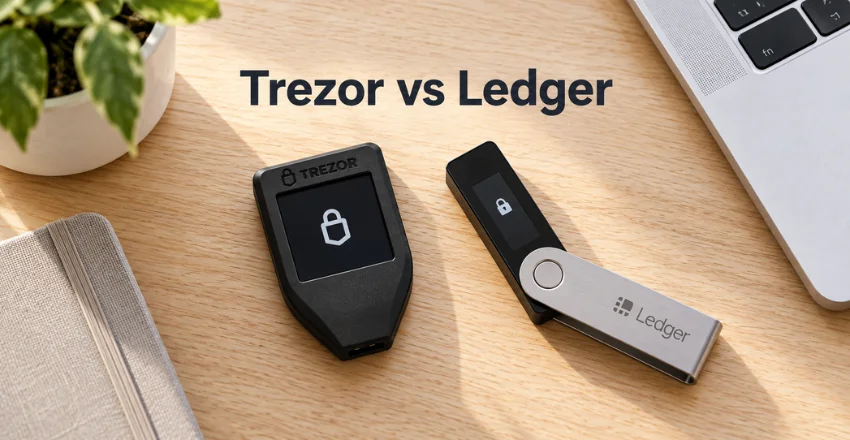
For buyers focused on long-term cold storage, the Safe 3 offers strong value. Safe 5 adds a touchscreen without forcing you into the highest price tier. Safe 7 makes more sense when wireless use is an important requirement. The competing lineup works well for active multichain users. Nano S Plus handles lower-cost offline signing, while Nano Gen5 adds modern connectivity.
Flex and Stax target buyers who want larger screens and frequent mobile interaction. Our Trezor vs Ledger verdict therefore depends on your priorities. Choose the open-source-focused option for transparent, simpler custody. Choose the broader ecosystem when mobile access, altcoins, NFTs, or frequent application use matter more.
How to Buy a Hardware Wallet Safely in the US
Buying safely is part of hardware-wallet security. A discounted device is not worthwhile if its origin cannot be trusted. Both setup and recovery information should come from the device itself.
- Buy from the manufacturer or a clearly authorized retailer.
- Check the packaging and device for signs of tampering.
- Generate a new recovery backup during your own setup.
- Never use recovery words supplied inside the box.
- Download wallet software only from the official provider.
- Install firmware updates through official applications.
- Send a small test transaction before moving larger balances.
- Confirm addresses and amounts on the hardware screen.
Trezor specifically advises buyers to use its shop, Amazon storefront, or authorized resellers. It also recommends checking packaging before setup. These precautions help reduce supply-chain and tampering risks.
Final Verdict
There is no universal winner because the two companies solve different user priorities. Transparency-focused holders should lean toward the Safe family. Active crypto users may prefer the competing ecosystem’s wider connectivity and application support. Budget buyers have strong choices around the $79 level. Premium buyers should pay extra only when touchscreen or wireless features improve their real workflow.
The recovery plan deserves equal attention regardless of the device price. Before purchasing, list every blockchain you use and decide how you will store recovery information. Then compare current prices directly with the manufacturers. A well-managed $79 device can protect funds better than an expensive wallet with a weak backup process.
Frequently Asked Questions
Is Trezor vs Ledger better for beginners?
Both brands offer beginner-friendly entry models, so neither wins automatically. Safe 3 suits buyers wanting simple open-source cold storage. Nano S Plus suits beginners wanting broader ecosystem support and similar entry pricing.
Which hardware wallet is safer?
Both current product families use secure-element technology, but their security philosophies differ. One emphasizes open-source auditability, while the other emphasizes secure hardware isolation. Your recovery and transaction habits can matter more than the brand difference.
Which option is better for Bitcoin?
The Safe lineup has a clear advantage for users wanting Bitcoin-only firmware. That option reduces unnecessary cryptocurrency functionality on supported devices. Multicoin users may place greater value on the competing ecosystem.
Which is better for iPhone users?
Wireless product choice matters for iPhone users. Safe 7 provides Bluetooth on the open-source-focused side. Nano X and newer wireless models provide several alternatives on the competing side.
Can I recover my crypto if the device breaks?
Yes, if you still possess valid recovery information for the wallet. Your cryptocurrency remains recorded on its blockchain rather than inside the physical device. Protect the backup from theft, fire, accidental loss, and phishing.
Should I buy a hardware wallet from Amazon?
Use only official storefronts or authorized retailers when buying through marketplaces. Check the package carefully before setup. Never use a device that arrives with recovery words already prepared for you.